 |
Thermal Camera SDK 11.4.10
SDK for Optris Thermal Cameras
|
|
Thermal Camera SDK 11.4.10
SDK for Optris Thermal Cameras
|
Base class for clients observing an IRImager. More...
#include <IRImagerClient.h>
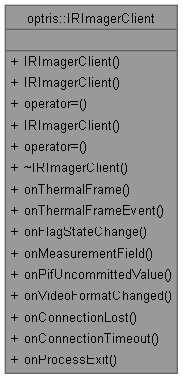
Public Member Functions | |
| IRImagerClient ()=default | |
| Constructor. | |
| IRImagerClient (const IRImagerClient &)=default | |
| No copy constructor. | |
| IRImagerClient & | operator= (const IRImagerClient &)=default |
| No copy assignment. | |
| IRImagerClient (IRImagerClient &&)=default | |
| Move constructor. | |
| IRImagerClient & | operator= (IRImagerClient &&)=default |
| Move assignment. | |
| virtual | ~IRImagerClient ()=default |
| Destructor. | |
| virtual void | onConnection (ConnectionEvent &evt) noexcept |
| Called when the connection state has changed. | |
| virtual void | onFrame (const FrameEvent &evt) noexcept |
| Triggered when the processing of a frame is complete. | |
| virtual void | onRawFrame (const RawFrameEvent &evt) noexcept |
| Triggered when a new raw frames is available. | |
| virtual void | onVideoFormatChanged (const VideoFormatEvent &evt) noexcept |
| Called when the video format changed. | |
| virtual void | onCompositeAlarm (const CompositeAlarmEvent &evt) noexcept |
| Called when the state of the composite alarm changes. | |
| virtual void | onAlarm (const AlarmEvent &evt) noexcept |
| Called when the state of an alarm channel changes. | |
| virtual void | onPifUncommittedValue (const UncommittedValueEvent &evt) noexcept |
| Called when an updated uncommitted value is available. | |
| virtual void | onOperationInfo (const OperationInfoEvent &evt) noexcept |
| Called when a new set of operation module tracing information is available. | |
Base class for clients observing an IRImager.
The architecture is following the Observer design pattern. To receive data like thermal frames from your device derive your own class from it and implement the callback methods. After creating an instance of you need to register it with an IRImager object by calling its IRImager::addClient() method.
|
inlinevirtualnoexcept |
Called when the state of an alarm channel changes.
This callback is triggered by a dedicated thread that does not block the processing loop. Slow processing in this callback will, however, block subsequent callbacks.
| [in] | evt | event containing the alarm information. |
|
inlinevirtualnoexcept |
Called when the state of the composite alarm changes.
The callback will not be triggered, if none of the active alarm channels is configured to be part of the composite alarm.
This callback is triggered by a dedicated thread that does not block the processing loop. Slow processing in this callback will, however, block subsequent callbacks.
| [in] | evt | event containing the composite alarm information. |
|
inlinevirtualnoexcept |
Called when the connection state has changed.
The ConnectionState also models the process of acquiring missing calibration files.
This callback is triggered by a dedicated thread that does not block the processing loop. Slow processing in this callback will, however, block subsequent callbacks.
| [in] | evt | event containing the updated connection state. |
|
inlinevirtualnoexcept |
Triggered when the processing of a frame is complete.
The SDK has an internal pool of buffers that it uses to store the processing results. The buffers are resused for subsequent frames. Since this callback is now triggered by a dedicated thread it will no longer block the processing loop. But slow processing in this callback can clog the internal buffer pool and will cause the SDK to drop old processing results.
The maximum possible frequency of this callback is determined by two configuration parameters:
Depending on the set ProcessingOutputConfig the provided event may contain an empty thermal frame or no measurement field data.
This callback will also be triggered during the initial startup calibration phase following a successful device connection. During this time the thermal data is unreliable. You can detect this phase by checking whether the flag state stored in the meta data is set to Initializing.
| [in] | evt | event containing metadata, thermal frame data and measurement field data. |
|
inlinevirtualnoexcept |
Called when a new set of operation module tracing information is available.
The SDK has an internal pool of buffers that it uses to store the processing results. The buffers are resused for subsequent frames. Since this callback is now triggered by a dedicated thread it will no longer block the processing loop. But slow processing in this callback can clog the internal buffer pool and will cause the SDK to drop old processing results.
The maximum possible frequency of this callback is determined by the interval time provided when configuring the operation info tracing via IRImager::configureOperationInfo(). If the interval is set to 0, this callback will not be triggered at all.
| [out] | evt | event containing the updated operation mode tracing information. |
|
inlinevirtualnoexcept |
Called when an updated uncommitted value is available.
The callback is only triggered when the corresponding PIF analog input signal has changed.
This callback is triggered by a dedicated thread that does not block the processing loop. Slow processing in this callback will, however, block subsequent callbacks.
| [in] | evt | event containing the updated uncommitted value. |
|
inlinevirtualnoexcept |
Triggered when a new raw frames is available.
The SDK has an internal pool of buffers that it uses to store the processing results. The buffers are resused for subsequent frames. Since this callback is now triggered by a dedicated thread it will no longer block the processing loop. But slow processing in this callback can clog the internal buffer pool and will cause the SDK to drop old processing results.
The maximum possible frequency of this callback is determined by the set frame rate of the device. It is unaffected by the set subsampled frame rate.
The callback will not be triggered if ProcessingOutputConfig::rawFrames is set to false.
| [in] | evt | event containing metadata and raw frame data. |
|
inlinevirtualnoexcept |
Called when the video format changed.
This callback is triggered by a dedicated thread that does not block the processing loop. Slow processing in this callback will, however, block subsequent callbacks.
| [in] | evt | event containing the updated video format information. |
 1.9.8
1.9.8