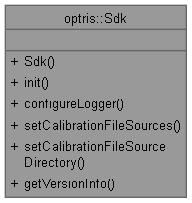
Static class granting access to SDK wide configuration and utility functions.
More...
|
| static OTC_SDK_API void | init (Verbosity logScreen, Verbosity logFile, std::string logFilenamePrefix="", std::string customDataDirectory="") |
| | Initializes the SDK.
|
| |
| static OTC_SDK_API void | configureLogger (Verbosity logScreen, Verbosity logFile, std::string logFilenamePrefix="") |
| | Configures the SDK internal logger.
|
| |
| static OTC_SDK_API void | setLogCallback (LogCallback callback, bool exclusive=false) |
| | Sets a callback that receives SDK log messages.
|
| |
| static OTC_SDK_API void | setCustomDataDirectory (const std::string &customDataDirectory) |
| | Sets a custom data directory for the SDK to use.
|
| |
| static OTC_SDK_API void | clearCustomDataDirectory () |
| | Clears a previously set custom data directory for the SDK.
|
| |
| static OTC_SDK_API bool | setCalibrationFileSources (CalibrationFileSource first, CalibrationFileSource second, CalibrationFileSource third) |
| | Sets the priority of the calibration file sources.
|
| |
| static OTC_SDK_API bool | setCalibrationFileSources (const std::vector< CalibrationFileSource > &sources) |
| | Sets the priority of the calibration file sources from an ordered list.
|
| |
| static OTC_SDK_API void | setCalibrationFileSourceDirectory (const std::string &sourceDirectory) |
| | Sets the source directory from which calibration files can be copied.
|
| |
| static OTC_SDK_API void | clearCalibrationFileSourceDirectory () |
| | Clears a previously set source directory for calibration files.
|
| |
| static OTC_SDK_API void | addCalibrationFallbackServer (const std::string &url) |
| | Appends a fallback server for internet calibration file downloads.
|
| |
| static OTC_SDK_API void | clearCalibrationFallbackServers () |
| | Removes all fallback servers registered via Sdk::addCalibrationFallbackServer().
|
| |
| static OTC_SDK_API VersionInfo | getVersionInfo () |
| | Returns an object holding version and build information about the SDK.
|
| |
| static OTC_SDK_API void | loadPalettes () |
| | Loads palettes from the SDK and user palette directories.
|
| |
| static OTC_SDK_API void | loadPalettes (const std::string &directory) |
| | Loads palettes from a custom directory.
|
| |
| static OTC_SDK_API std::vector< std::string > | getPaletteNames () |
| | Returns the names of all currently loaded palettes in sorted order.
|
| |
| static OTC_SDK_API std::vector< std::array< uint8_t, 3 > > | getPaletteColors (const std::string &name) |
| | Returns the 240 RGB color entries of the named palette.
|
| |
| static OTC_SDK_API void | registerPalette (const std::string &name, const std::vector< std::array< uint8_t, 3 > > &colors) |
| | Registers a palette at runtime without persisting it to disk.
|
| |
| static OTC_SDK_API void | savePalette (const std::string &name) |
| | Saves a registered palette as a CSV file in the user palette directory.
|
| |
Static class granting access to SDK wide configuration and utility functions.
| static OTC_SDK_API void optris::Sdk::addCalibrationFallbackServer |
( |
const std::string & |
url | ) |
|
|
static |
Appends a fallback server for internet calibration file downloads.
The SDK always tries its built-in servers first (https://calibration.optris.com/api, then the mirror https://calibration.optris-ir.cn/api). Servers registered here are appended after the built-ins in registration order. At the start of each internet acquisition all configured servers are health-checked in parallel and the highest-priority reachable one is used; individual downloads fail over to the next server on errors, timeouts, or when a server does not have the requested file.
The URL must include the scheme and the full API base path, e.g. https://mirror.example.com/api — the SDK appends /healthz and /v1/calibration/... to it. Trailing slashes are stripped. The server must mirror the REST layout of the built-in servers, including the Digest: sha-256=... response header used for integrity verification. Only https:// URLs are accepted: the integrity digest travels in-band, so plaintext HTTP would offer no protection for the calibration data. Duplicates of the built-in servers or of already registered entries are ignored with a warning.
- Note
- The internet-access consent requested via ConnectionState::CaliAccessInternet covers all configured servers, including the built-in mirror and any servers registered here.
This method is thread-safe and takes effect at the next calibration acquisition. It may also be called from within the ConnectionState::CaliAccessInternet callback.
- Parameters
-
| [in] | url | base URL of the fallback server. |
- Exceptions
-
| SDKException | if the URL is empty, does not start with https://, contains whitespace or a query/fragment, or the fallback server limit (8) is reached. |
| static OTC_SDK_API void optris::Sdk::loadPalettes |
( |
| ) |
|
|
static |
Loads palettes from the SDK and user palette directories.
Scans the SDK data directory first, then the user data directory so that user-supplied palettes with the same name override the built-in ones. Missing directories are silently skipped.
This method is idempotent — calling it more than once reloads all palettes from disk, replacing any previously registered entries.
| static OTC_SDK_API void optris::Sdk::loadPalettes |
( |
const std::string & |
directory | ) |
|
|
static |
Loads palettes from a custom directory.
Adds or overwrites palette entries in the registry without clearing previously loaded palettes.
When specifying the directory path the following symbols/variables are supported:
~, %USERPROFILE% refer to ~/ on Linux and <User Home>/ on Windows.%APPDATA% refers to ~/.config/ on Linux and <User AppData>/Roaming/ on Windows.
Relative paths are not supported. You can either use / as system independet directory separator or utilize system dependent ones like / for Linux and \ on Windows.
- Parameters
-
| [in] | directory | path to scan for .csv palette files. |
- Exceptions
-
| SDKException | if directory does not exist or is not a directory. |
| static OTC_SDK_API void optris::Sdk::setCustomDataDirectory |
( |
const std::string & |
customDataDirectory | ) |
|
|
static |
Sets a custom data directory for the SDK to use.
- Attention
- A custom data directory can only be set when there are no active device connections.
If the given directory does not exist, the SDK will try to create it (recursively).
When specifying the directory path the following symbols/variables are supported:
~, %USERPROFILE% refer to ~/ on Linux and <User Home>/ on Windows.%APPDATA% refers to ~/.config/ on Linux and <User AppData>/Roaming/ on Windows.
Relative paths are not supported. You can either use / as system independet directory separator or utilize system dependent ones like / for Linux and \ on Windows.
- Parameters
-
| [in] | customDataDirectory | for the SDK to use. An empty string will have no effect. The SDK requires read and write permission to this directory. |
- Exceptions
-
| SDKException | if
- there is an active device connection.
- the given path is not a directory.
- the SDK can not access the directory
- the SDK failed to create the directory.
|

 1.9.8
1.9.8